# Square Customer Setup
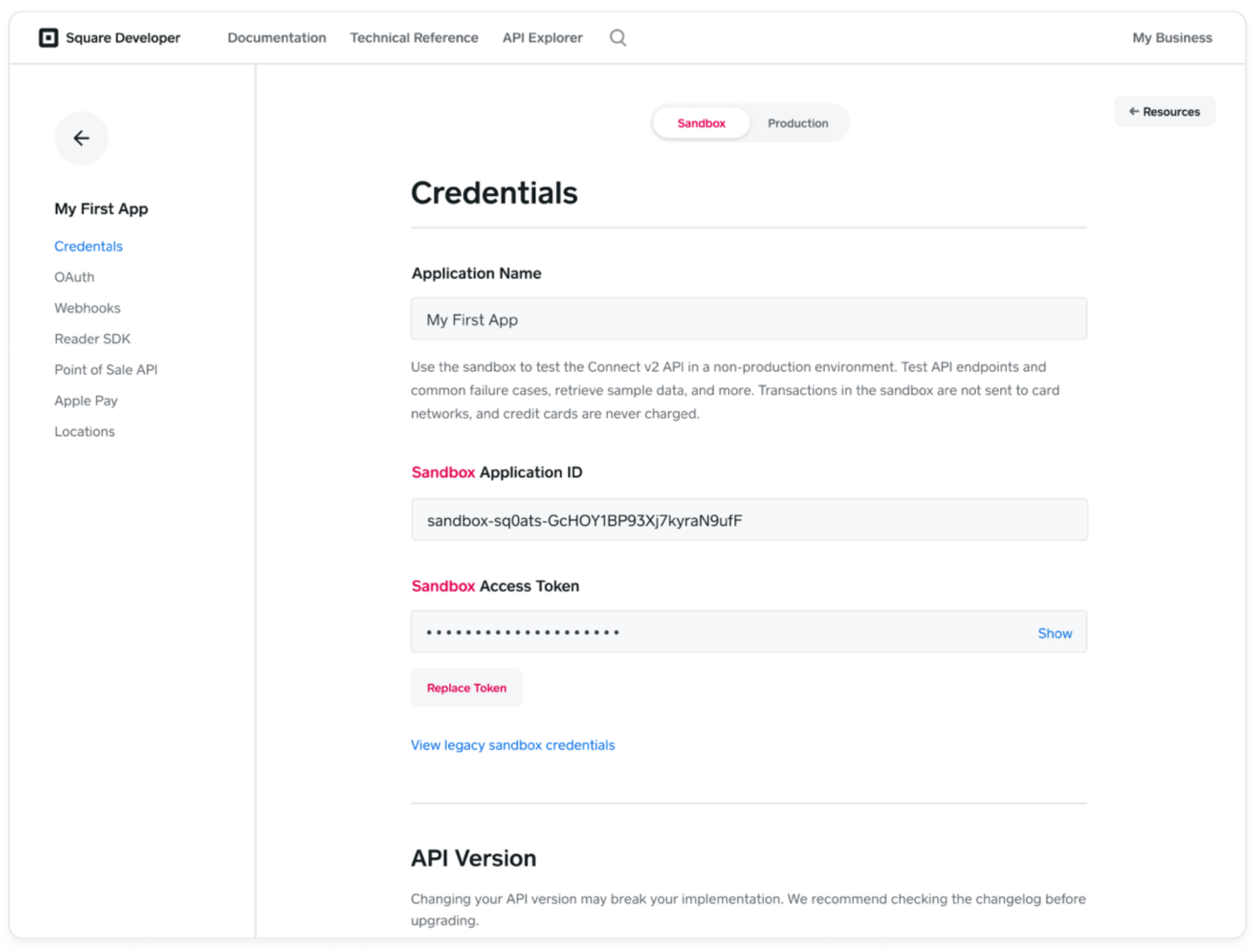
The account owner needs to perform the steps outlined to generate an Access Token and Application ID. Make sure that production is toggled.
1. Open the Developer Dashboard ([https://developer.squareup.com/apps](https://developer.squareup.com/apps)) and select an existing application (or create one - call it "BarTrack")
2. Set the dashboard mode to Production for a production access token
3. Copy the Access Token and Application ID in the Credentials section of the page
Documentation Reference link: [https://developer.squareup.com/docs/build-basics/access-tokens](https://developer.squareup.com/docs/build-basics/access-tokens)
[](https://wiki.bartrack.beer/uploads/images/gallery/2022-10/image-1666205204885.png)